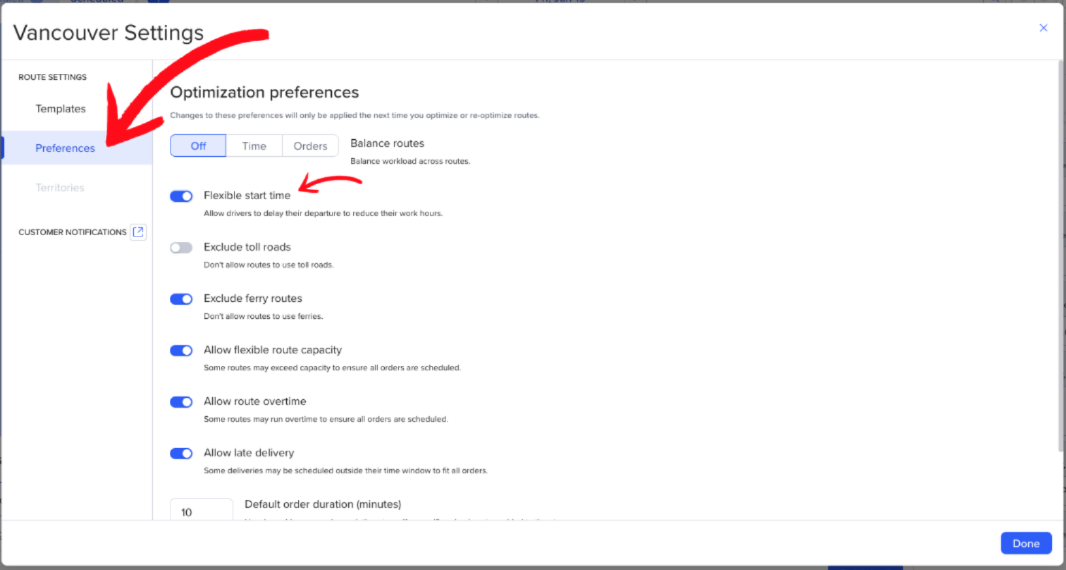
Flexible start time lets Routific automatically calculate the optimal departure time for each route, rather than starting all routes at a fixed shift time. By analyzing your delivery time windows, Routific finds start times that minimize idle time across the entire route.
How it works
When flexible start time is enabled, Routific evaluates the time windows on all orders in a route and works backward to determine the latest possible start time that still meets every delivery window. This affects ETAs for all stops on the route — not just the first one.
Without flexible start time, a driver might leave at 8:00 AM and sit idle at a stop until a time window opens at 10:00 AM. With flexible start time enabled, Routific pushes the route start back so the driver arrives just in time, reducing unnecessary waiting.
What to expect
Idle time is reduced, not always eliminated. If a gap exists between time windows that can't be avoided — for example, a stop that closes at 10:00 AM followed by one that doesn't open until 12:00 PM — some idle time will remain. Flexible start time minimizes these gaps where possible, but can't eliminate them when time windows require waiting.
Optimization is route-wide. The adjusted start time cascades through every stop on the route, updating ETAs accordingly.
Manual route edits may create idle time. Moving orders between routes after optimization may not properly carry over the flexible start time logic, which can introduce idle time that wasn't there before. Re-optimizing after manual changes is recommended.
How to enable flexible start time
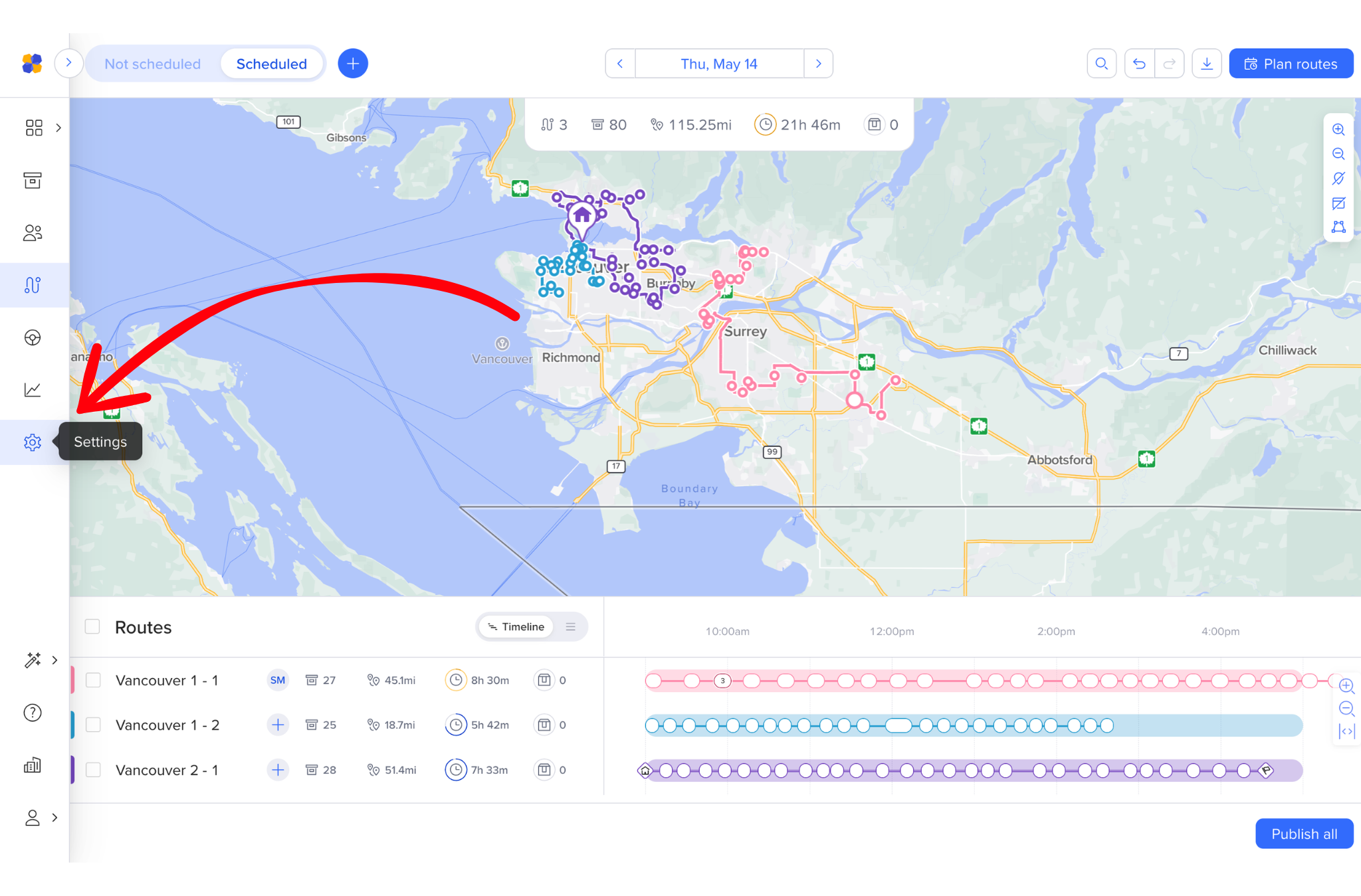
Click Settings on the right-hand side of the screen.
Go to Preferences.
Toggle Flexible start time ON.