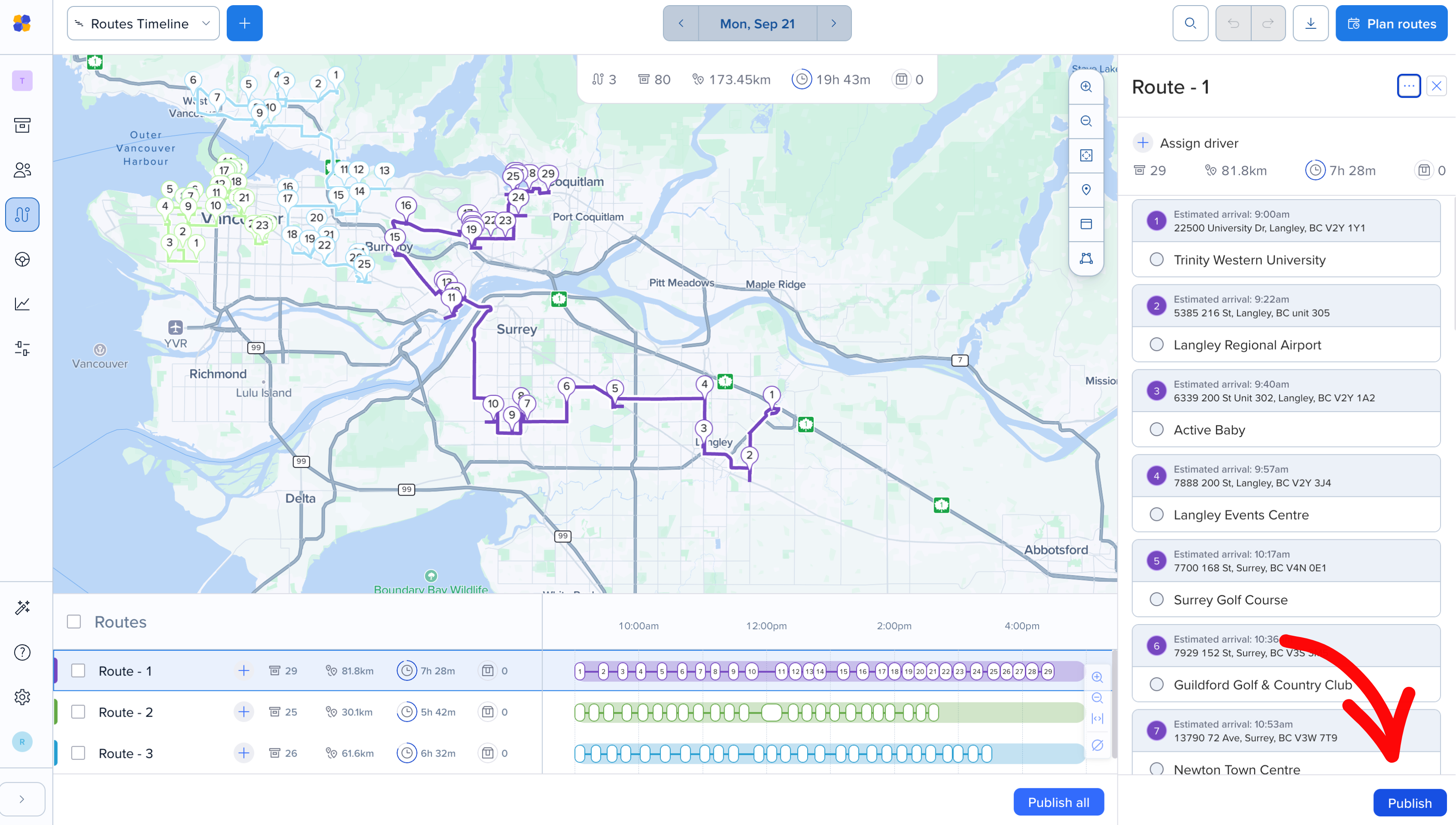
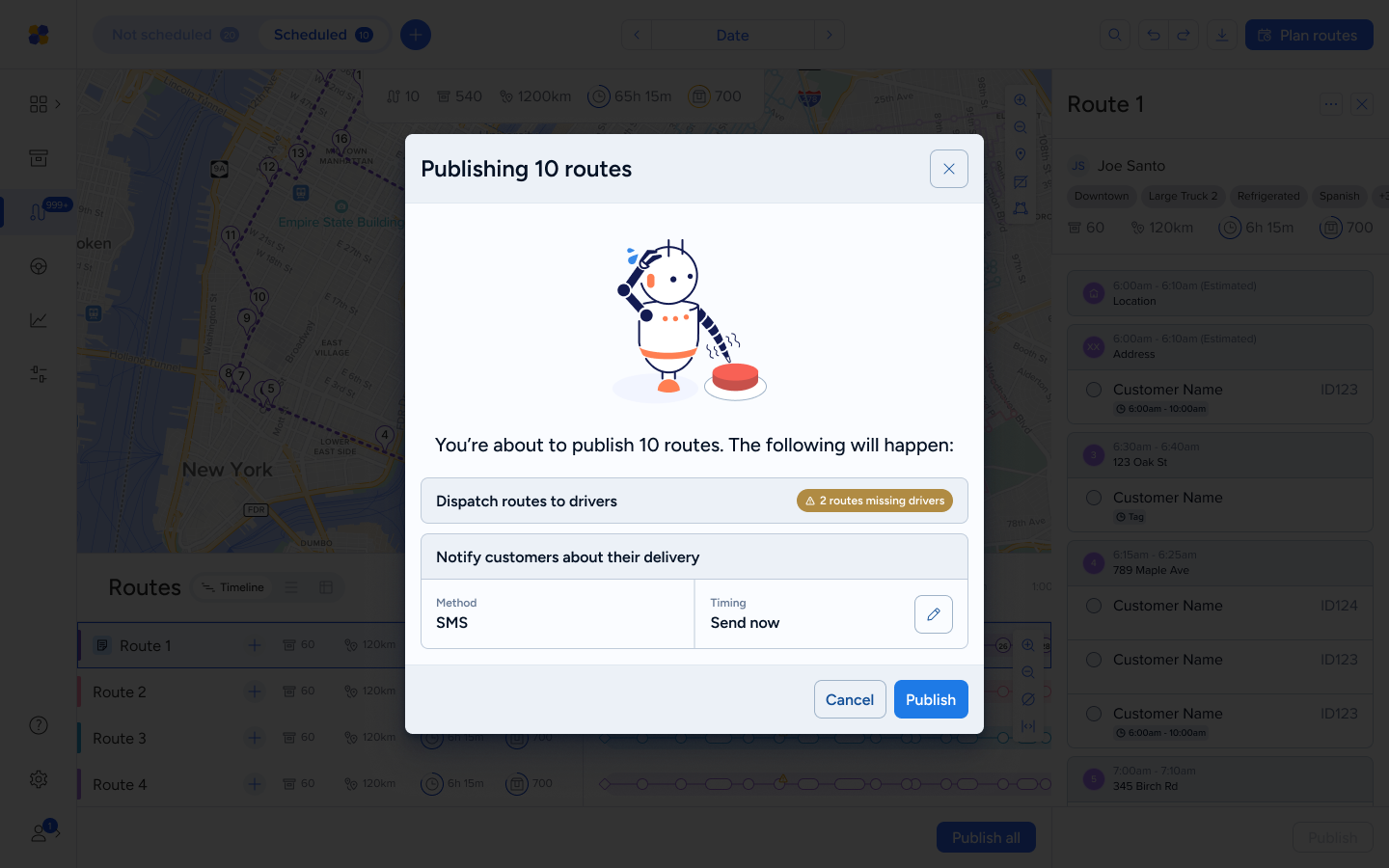
Unpublish a route when it shouldn't go out anymore. For example: if you published it by mistake or it's no longer running. You can only do this before the driver starts the route.
Just need to make a change? You don't need to unpublish. You can edit published routes directly, then publish the changes.
Who can do this: Admins and Dispatchers.
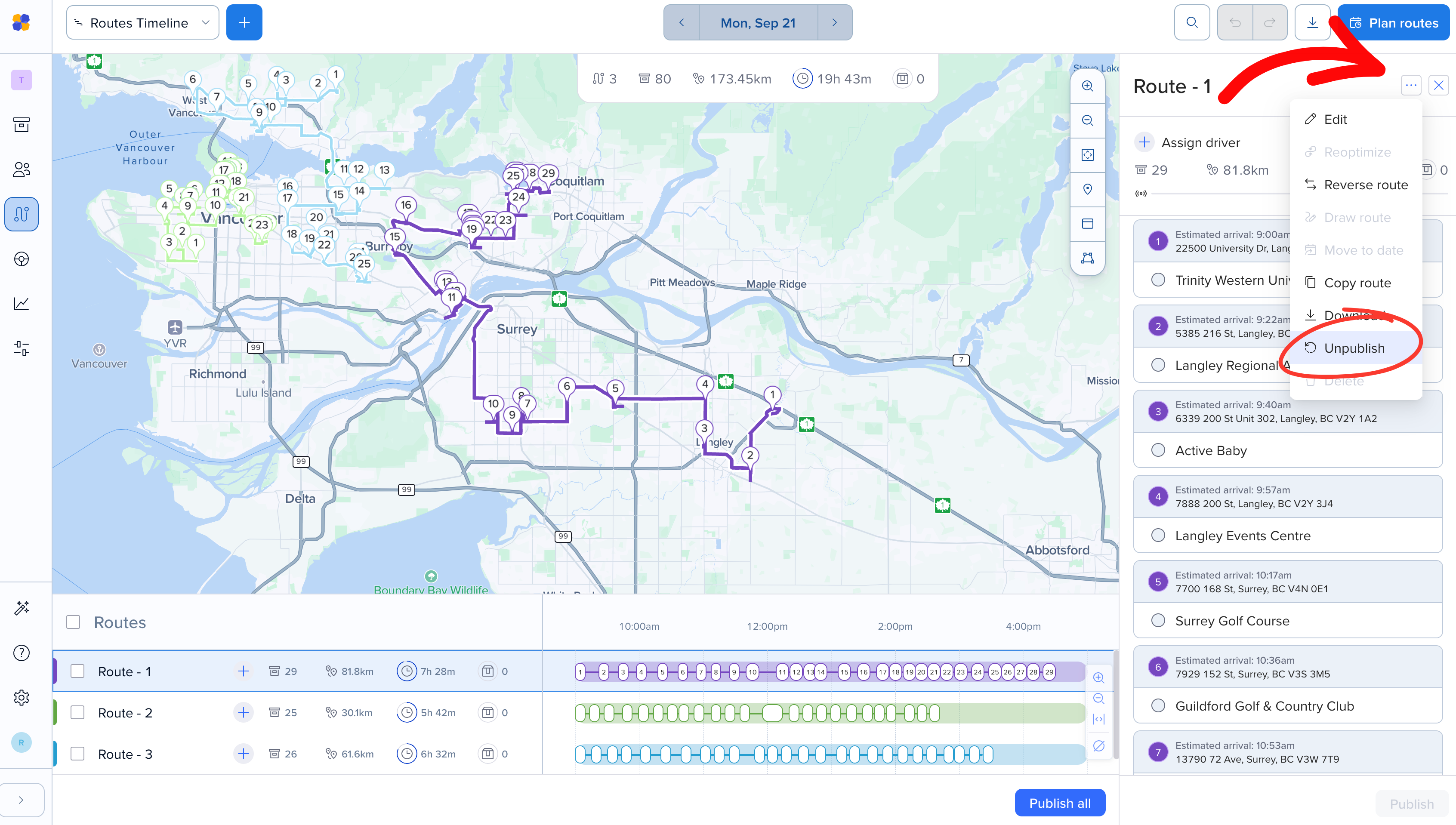
Click the route on the map or the timeline.
Click the three dots (…) in the top right of the route panel and select Unpublish.
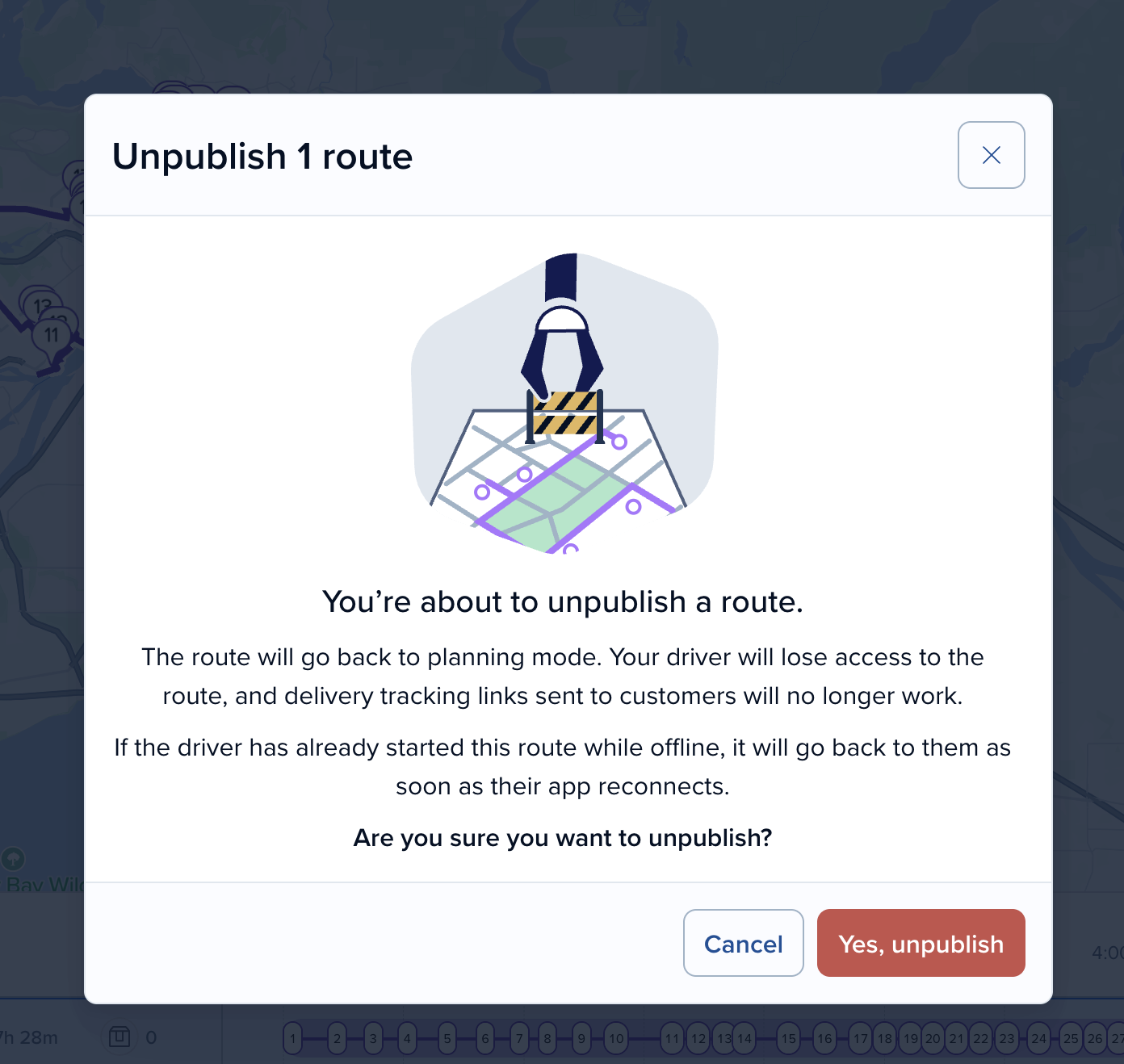
Click Yes, unpublish to confirm.
The route goes back to planning.
Your driver loses access to the route. It disappears from their route list. If they have the route open, they'll see a message that it's no longer available. They don't get a push notification, so let your driver know before you unpublish.
Customer tracking links stop working. Any delivery tracking links already sent for orders on this route will be deactivated.
Scheduled customer notifications are cancelled. For example, if a "your delivery is scheduled" message was set to go out, it won't be sent. Customers aren't told that the delivery was pulled back. When you republish, notifications are scheduled again as usual.
*Note: If a route is unpublished and then published again, the previously sent delivery tracking links will start working again based on the new route details. No new links need be sent.
If your driver started the route while offline, it goes back to them as soon as their app reconnects. Their work won't be lost:
The route goes back to the version your driver had
Their completed stops are recorded
The route returns to Published or Live
Any changes you made after unpublishing are kept as pending changes, so you can review them and republish
*Please note that the route is restored only if the same driver is assigned to the route. If you have unassigned the route, reassigned the route, or deleted it, the offline work is discarded.
When you're done making changes, click Publish in the bottom right of the route panel. You'll see the usual publish summary, and your driver gets the updated route.