
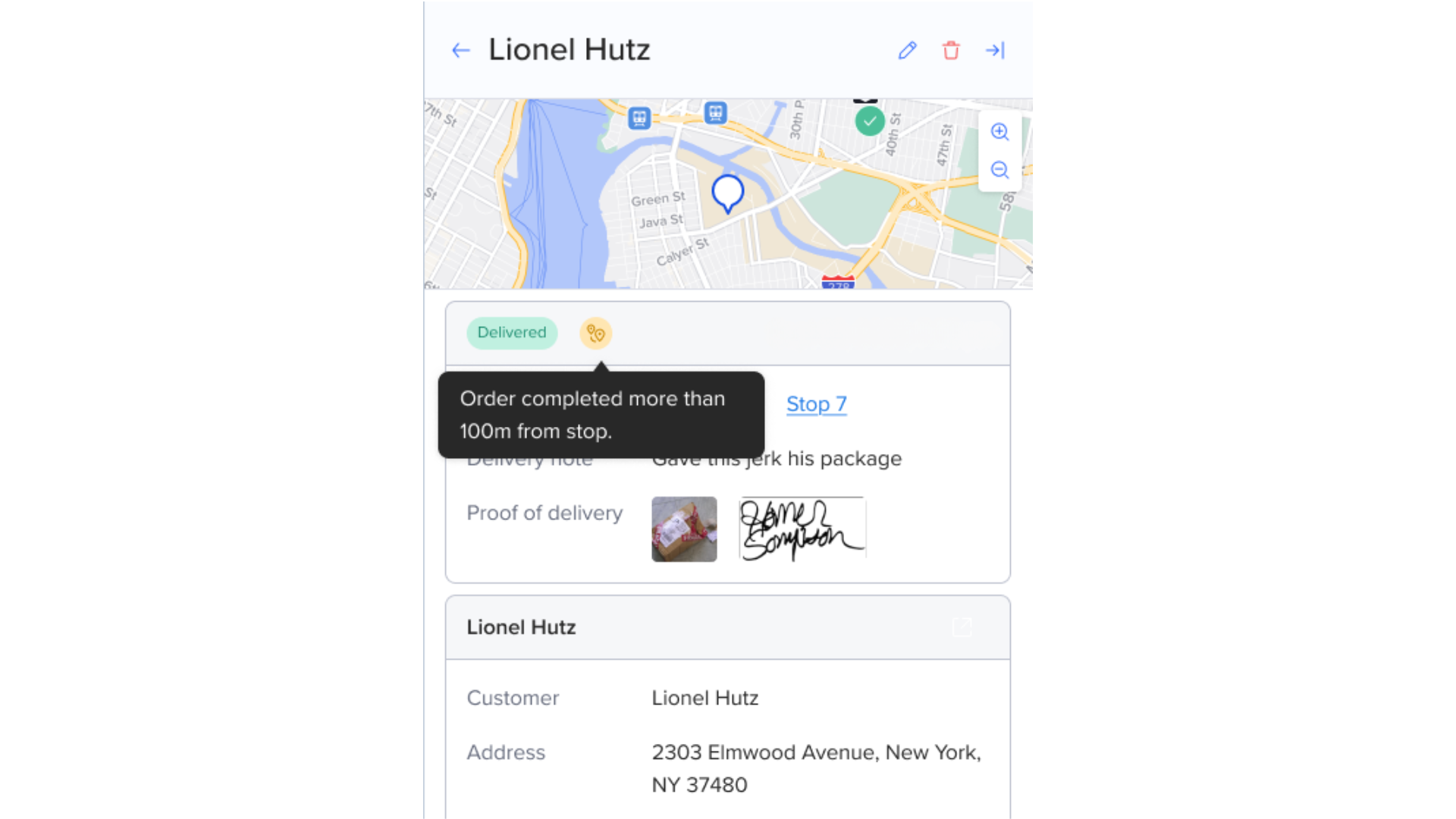
When a driver marks an order as Delivered, Missed, or Re-attempted, Routific captures the GPS location of where that action happened. This gives you a way to check what really happened at a stop — without relying only on the driver's word.
Why this is useful
You may run into situations like these:
A customer says the driver never came.
A delivery photo doesn't match the customer's porch.
A package was left at the wrong address, or across the street.
You want to confirm a driver was actually at the stop when they marked it complete.
Routific now shows you exactly where the order was marked complete, so you can investigate these cases with real location data instead of guesswork.
Where to find it
Open the route the order belongs to.
Click the order.
You'll see a map showing:
The planned location — the address the order was scheduled for
The completion location — where the driver actually marked the order's status
If an order was attempted more than once (for example, missed and then re-attempted), each attempt shows up on the map, so you can see the full history in one place.
Distance warnings
If the completion location is more than 100 meters from the planned location, you'll see a warning on the order. This flags that the order was marked complete farther from the expected address than it should be.
You'll see this warning in two places:
On the route list view, so you can spot which stops need a closer look
On the individual order, when you open its details
A few things to keep in mind
This shows where the order's status was marked, not exactly where the package was physically left.
You won't see raw GPS coordinates — just the location plotted on the map and the distance from the planned address.
This doesn't stop or block a driver from completing an order, even if they're outside the expected area. It's there to help you follow up, not to enforce a rule in the moment.